Am I the only one who keeps thinking about Unbreakable every time Google talks about Project Glass? Probably.
Anyway, the internets are all aflutter about the Project Glass demo at Google I/O last week. And I agree the whole skydiving – biking – rappelling – biking part was pretty cool. But here’s the problem I have with many of the reactions to the demo: they’re suffering from a halo effect, letting the cool part of the demo (which was, again, very cool), color their perceptions of Project Glass. Because, really, what exactly did Google show? A streaming web camera. Head-mounted. Which, let’s face it, isn’t exactly rocket science.
You know what the actual technology demonstration of Project Glass reminds me of? The picture taking and sharing videos? It reminds me of Microsoft Surface. The original big table. The world’s greatest technology for rearranging photos. Researchers have spent years working on large interactive surfaces, but they’ve struggled to come up with compelling apps beyond rearranging photos.
And now Google is trying to bring us Project Glass, and what’s their big technology demo? Taking pictures. You know, that thing the phone in your pocket can already do. It can stream videos too. And make phone calls. Surf the internet. A variety of other stuff. Rumor has it Apple makes a bundle on them.
If you’ll indulge me in my “hey you kids, get off my lawn!” moment a little longer, what exactly is the problem that Project Glass is designed to solve? That it’s too difficult to pull your phone out of your pocket? Ok, there are certainly some edge cases where that’s true. But how often do they really happen in your day-to-day life (unless, y’know, you skydive for a living)? Here’s my basic issue with Project Glass as shown: it imposes a constant cost (wearing the headset all the time) for an occasional problem (those few times you want to access or capture information and you can’t get to your phone). I’m not sure that’s really the future of computing; seems more like a niche product.
Which is not to say that I think wearable computing as a whole won’t be an interesting space. Heck, we’re already wearing computers by carrying them in our pockets. And I think more peripheral displays, like Pebble, are promising ways to monitor and interact with information in a lightweight way. Because then you’re only paying the occasional cost (glancing at the watch) when you have the occasional problem (can’t pull out your phone).
So yeah, great skydiving – biking – rappelling – biking demo last week. But Project Glass? Color me skeptical.
I flew to Korea last week to visit Samsung’s Digital City in Suwon. It was my first trip for work, and my first visit to Korea (and only my second trip to Asia; the second was to Japan back when I was interning with Alan Kay’s team at Disney Imagineering). Things were a bit different on this Asia trip, though. I discovered that rank does indeed have its privileges; rather than being crammed back in coach, I had a business class seat. Definitely advantageous on the 12.5 hour flight between San Francisco and Seoul (sadly I’m a bit too tall for the “lie flat” seat to be really comfortable, but the extra leg room was extremely welcome).
Although we flew into Seoul (well, technically Inchon), we were actually visiting Samsung’s Digital City in Suwon, which is around an hour drive south of Seoul. One of the things that surprised me on the trip was how much people use taxis for longer trips. I was told a taxi was the best way to get from the airport to my hotel in Suwon, and it ended up costing around half what it likely would have cost to travel a comparable distance in the US.
Since we were flying east to west, we left around 1:30 PM on Monday and made it to the hotel around 7:30 PM on Tuesday. I personally find it easier to handle jet lag in that direction; rather than going through a shorter night and trying to adjust, you get a really long day and then can immediately crash for an extended period when you arrive. I hit the sack nearly immediately after check-in and slept through until 5 AM and was ready for the day.

The next two days were taken up with meetings and presentations at headquarters. Overall I had a lot of fun meeting folks, seeing what they were up to, and exploring a little bit of the Digital City campus. Thursday evening we also went out for barbecue with the team, and the food was extremely tasty (I personally liked the plain meat dipped in just a little bit of salt best, but the marinated meat was also good).
Although we returned to the States on Friday, we had the morning free (our return flight wasn’t until 5), so I opted to do a little sightseeing. I opted to walk over to Hwaseong Fortress, which is a World Heritage site and was only around a 15 minute walk from the hotel.

I’d originally planned on walking a complete circuit of the walls, but quickly discovered that the little tourist map I’d gotten from the hotel was definitely Not To Scale. When I first reached the wall I noticed the structure on the hill in the distance, and thought it might be a good destination for a future hike if I could determine was it was. But after walking the wall for awhile, I soon realized that it was actually the far side of the wall! So sadly I didn’t walk a full circuit on this trip (not only because of concerns about time; it was really hot and humid, and despite starting around 7:30 after an hour of walking I was pretty sweaty.

But I did end up walking roughly a third of the wall, and walking along the river that cuts through the area enclosed by it. It was a very nice walk. Since the wall is elevated you get a nice view of the city as you go, and there are a variety of different structures intermittently along the wall as you go. Each one had a small explaining the significance of the structure and what it was used for.

One of the things I always enjoy about visiting foreign countries is seeing the different types of architecture. I found Hwaseong Fortress doubly interesting, not just for the general Asian style of architecture but also for the variety of the individual buildings. At least on the eastern and northern sides, no two buildings were alike (although there was some repetition on the southern side on my walk back to my starting point).

The walk by the river when cutting across the enclosed area was also quite lovely. And shady; there was a path below street level, allowing you to walk beside the river and stay in the shady (quite handy, because even by 8:30 the sun was getting very warm).


After my shortened hike I made it back to the hotel around 10, which allowed me plenty of time for a shower before checking out (thankfully). Next time I visit Korea in June I must remember to pack shorts for walking around in my free time. After checking out it was back to the airport (using the airport bus this time; a good deal at roughly $12 for the hour drive to the airport) and then hanging out in the Prestige Lounge before boarding the plane. That business class ticket coming in handy once again…

So all in all a very enjoyable trip; I’m looking forward to my next visit to HQ.
With the new job I’ve noticed that my device usage patterns have shifted. At Samsung, I’ve chosen to keep nearly all personal stuff off the work laptop. In part that’s a continuation of a trend. When I was faculty at Georgia Tech, the work laptop and the personal laptop were one and the same. At IBM Research the separation was stronger (when I was hired I actually bought a separate personal computer), but I still used the work laptop for a fair bit of personal stuff. Arguably the Samsung position is a continuation of that trend of diminishing personal use of a work device.
But there’s another factor involved. In between my joining IBM Research and my joining Samsung, Apple went off and invented the iPad. Now I have a lightweight personal computing device that’s easy to carry nearly everywhere. So this time around I’ve started experimenting with carrying my tablet to work and using that when I need to complete a personal task. So far it’s working pretty well: the tablet is more than sufficient for the lightweight tasks I perform at work and on light rail (the WiFi is generally pretty good, although it’s totally flaked out a few times), such as email, skimming news feeds, and managing my todo list. Granted it’s only been two weeks, but so far it looks like I won’t need to use the work laptop for much personal stuff at all. The one exception has been Spotify; it’s easier to listen to music off the laptop than off the tablet (primarily for the obvious power management reasons).
Of course, now that I’m carrying around my tablet a lot more, I wish I’d gotten the cellular model. Having the wifi only model isn’t a showstopper, but it’d be nice to have the cell connection to fall back on when the VTA wifi is problematic. I may activate tethering on my iPhone to see how that works, but I suspect that’ll require ditching my grandfathered-in unlimited data plan. So I’m holding off for now.
With my job change showing up in LinkedIn and Facebook I’ve been getting a bunch of folks congratulations me on the new position (thanks y’all!). Since a number of folks have asked why I made the move, I thought I’d share a little of my thinking.
First, while IBM Research is definitely a good place to work and there are a lot of great people there, at the end of the day IBM just doesn’t place a high priority on the user experience. Yes, it’s been getting better, and the new CEO seems like she’s going to value good design. But the derivative doesn’t give me a great deal of confidence things are going to get better quickly, and there are so many interesting things happening in mobile right now that I didn’t want to wait any longer.
Second, I wanted to move a bit away from academic research and toward applied research. That’s a continuation of a trend I’ve been following for awhile, first moving from academia (faculty at Georgia Tech) to industrial research (IBM Research), and now further into applied research (the UX Innovations Lab). There are a bunch of factors involved, and it’d be a separate post to explore in detail why I’m less and less enamored of academic research. But after thinking about the bumpersticker version of those reasons for awhile, I’ve come up with this: I’d rather work on things that are useful than things that are novel. Academics value novelty largely independent of utility (yes, they’re arguably not supposed to, but they do). And while I like novelty, I’m more excited by working on things that matter.
And finally, I was looking for a chance to work on products that people buy rather than coming up with new ways to package and sell people as products. A recent article in The Atlantic expressed my opinion fairly well; I’m tired of products and services that look like this:
There will be ratings and photos and a network of friends imported, borrowed, or stolen from one of the big social networks. There will be an emphasis on connections between people, things, and places. That is to say, the software you run on your phone will try to get you to help it understand what and who you care about out there in the world. Because all that stuff can be transmuted into valuable information for advertisers.
I’d like to slap the next person who talks about building and selling a 360 degree view of people. I’m sorry, I don’t want companies building 360 degree views of me so that they can target ads to me to try to convince me to buy more stuff. I want companies to build awesome products. Stop trying to gather information about parts of my life that are irrelevant to you and worry about that.
So why Samsung? At the UX Innovations Lab, I have to chance to work with folks who care a lot about the user experience. And the UX Center as a whole has been growing by leaps and bounds as Samsung places more focus on UX. I get to look ahead, but I also have a chance to drive ideas into new products and services. Impact is measured by changing the world, rather than worrying about paper counts. And Samsung sells products, so I get to help make those products awesome.
Plus so far no one has said “360 degree view of people”, which is already awesome.
I love the ocean, and while I’ve traveled to or near the ocean many times for vacations, I’ve never taken a vacation on the ocean. I’ve been curious about cruises for a number of years, but I’ve never been able to interest my wife (for which I blame David Foster Wallace’s A Supposedly Fun Thing I’ll Never Do Again). However, for this year’s spring break vacation I took a slightly different approach: I enlisted our daughter.
I’ll confess to being a big fan of Disney. I interned at Imagineering as a grad student, and I worked with my advisor on user testing the virtual reality attractions for DisneyQuest. I’ve always admired how Disney works extra hard to provide a good show, particularly in the little things like logging light bulb lifetimes and nightly repainting of high wear spots. For the past few years we’ve taken our daughter to Disneyland during ski week, so this time around it wasn’t too difficult to convince her to advocate for a Disney Cruise instead (tip for other parents: order the free DVD from Disney and show it to your child). Between the two of us we were then able to convince my wife. Our pitch was admittedly made easier by the existence of a cruise to the Mexican Riviera, since despite living in California for almost 6 years we’d had yet to visit.
So for our daughter’s spring break this year we hopped a Southwest flight down to LAX and boarded a bus for the Port of Los Angeles, where we boarded the Disney Wonder, our floating home for the next 7 days. First impression? Cruise ships are really, really big.

Also, Disney’s penchant for good show extends to their Cruise Line. Despite being around 13 years old (the Wonder had its first cruise in 1999), the interior and exterior of the ship are in very good condition (it doubtlessly helps that Disney apparently retrofits their ships every 3 years to keep them fresh).
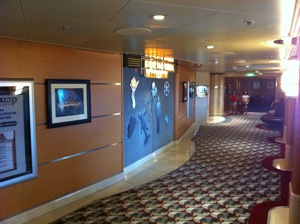
On the interior the Disney Wonder has a warm, comfortable design. From the Art Nouveau lobby to the Mickey hands on the elevators to the “movie palace” theater, the spaces are inviting places to spend time.


But of course I wanted to go on a cruise to spend time on the ocean, and the exterior spaces didn’t disappoint either. The promenade deck was a great space for a walk around the boat or a game of shuffleboard (I’m deeply amused they had shuffleboard areas), and it was a surprisingly nice spot to relax in a chair or read a book (many of the families migrated to the top deck where the pools are, leaving the promenade deck much emptier).

The top deck was also a very nice space. Technically it was the top two decks, while the very top circling the ship and the deck below featuring 3 pools open to the sky (segregated by age, a nice touch).

While short on space, I thought the stateroom design did a pretty good job of utilizing the space that was available. And seriously, who doesn’t love looking out of their room to see the ocean?

On the trip we visited Puerto Vallarta and Cabo San Lucas. We had one day in the former and two in the latter. I personally would rather have reversed that; Cabo had a nice beach, but otherwise seemed like a rather vanilla party town. We chose to do Port Adventures in both (a pirate ship adventure in Puerto Vallarta and swimming with dolphins in Cabo), but I would rather have had an extra day walking around Puerto Vallarta than the day we did have exploring Cabo.


Personally I preferred the days at sea, though (I suspect my daughter would agree but my wife would differ). One of the things I liked the most about the Disney Cruise was that they had dedicated areas for kids to play (an interesting tidbit we learned on a tour: the deck with the kids areas has slightly lower ceilings to make kids feel more comfortable and confident). As a result, our daughter would run off for 3-4 hours each day to play with other kids, leaving my wife and I quiet, uninterrupted hours to kick back and relax. And the ship does feature adults-only areas on the top decks where peace and quiet are easy to find.


One of the things I enjoyed the most, although I hadn’t expected it at all, was the sense of disconnection. Yes, there was Internet access on the boat, but it was expensive enough I didn’t bother. But there wasn’t any cell coverage. No newspapers. And you had to go out of your way to track down a news channel. As a result, there wasn’t any urge to keep with events on land or surf the web to keep on top of news. And I personally found that relaxing indeed.

Tomorrow will be my last day at IBM Research – Almaden. I’ve had a lot of fun there over the last (almost) six years and learned a lot. (The week-long Micro MBA course is awesome; take it if you ever have the chance.) And I worked with a bunch of great people, both at Almaden and in IBM at large.
But after a lot of thought I’ve decided it’s time to try something new. There are so many interesting opportunities for mobile and multi-device user experiences right now that I want a more direct path to real world impact. I talked to a number of colleagues (and thanks to all of you who made the time to talk to me about your companies and the opportunities you were aware of), and after weighing the possibilities I’ve accepted an offer at the UX Innovations Lab at Samsung’s new(ish) User Experience Center. I like the variety of products I might impact (phones, tablets, laptops, desktops, even appliances!), the combination of looking 4-5 years ahead while still aiming to impact the product lines, and the people (as individuals, but also the variety of skills they bring: UX, design, and development). I’ll be taking a week off for a bit of R&R, and then jumping in to try something new. It should be fun!
When you look at ebooks, there are at least three different elements that could be separated in theory but which are (largely) tightly bound in practice. First, there are the sellers. The sellers include large companies like Amazon and Barnes & Noble, but could (in theory) also include your small local bookstore as well. Next we have the hosters: the entities that host your ebooks in the cloud so that you can easily move them between your devices. The hosters tend to be large entities that can build and maintain a cloud and synchronization architecture: Amazon, B&N, Google. And lastly we have the reader providers, who provide the client applications on phones, tablets, etc. that allow you to read your ebooks.
In theory, all of these elements are separable. You could buy an ebook from your local bookstore, host it in Amazon’s cloud, and read it using an experimental reader from a startup. After all, we’ve done it with other media types. You can buy a CD from a local store, rip it, use iTunes Match to get it into Apple’s cloud, and play it using any number of unusual audio players. Both Google and Amazon let you upload audio tracks into their respective clouds as well.
So why aren’t these channels separate for books? Simple: (most) publishers are still insisting on imposing Digital Rights Management (DRM) on books. So that book you buy from Amazon is useless in Google’s cloud (even if you could get it there), and no reader but Amazon’s Kindle reader will let you read it. Yes, I know publishers are playing a rearguard action to try to protect sales of physical books. Hey, every other media type tried it, maybe it’ll actually work for books, right?
Except it won’t. And in the meantime, publishers are giving Amazon a stick to beat them with. So here’s an idea: try to actually get ahead of the curve. Work with booksellers to make it easy for any of them to sell ebooks without DRM. Work with cloud providers to make it easier for users to host their books (regardless of who sold them) in a provider’s cloud. And work with companies to create new and better ebook readers (there’s certainly plenty of room for improvement!) that work with books regardless of who sold them. Then ebook reading might be so awesome and compelling that you’ll have shaped the future of ebooks (and raised your profit margins accordingly) rather than being dragged kicking and screaming into it. Just saying.
In the last couple of weeks we’ve seen a number of cases where people have (rightly, in my opinion) gotten upset about what they perceive to be invasions of privacy by companies. In the most prominent cases, Google got caught circumventing privacy settings in Mobile Safari, and Path and others have been caught uploading user’s address books.
Now, to be clear, I don’t condone either behavior (or similar behaviors). However, I do find it interesting that people seem to be so surprised by such behavior. Google, Path, and many other companies are not selling you a product. You have not paid them in cash for services rendered. Instead, they are offering you a service in exchange for data about you which they can then use to sell you as a product to other companies.
Given that the whole business model for these companies is based on assembling and marketing data about you, why is anyone surprised that they’re pushing the boundaries as far as they can and (occasionally? frequently?) stepping over them? Of course they’re going to try to get as much data as they possibly can; they make more money that way!
Look folks, when you’re a product here’s what you should expect from your service provider:
- They will collect as much data as they possibly can about you and retain it for as long as they possibly can.
- They will try to obscure what data they’re collecting and how they’re using it, because they realize that if you knew what they’re doing you’d rethink being a product.
- New features are always designed with an eye to eliciting additional data from you.
There are, of course, exceptions. But they are exceptions, not the rule.
My point is not to argue that being a product is necessarily bad. I too use services where I am a product: a variety of Google’s offerings, Twitter, WordPress, etc. My point is to realize the trade-off that you’re making and adjust your expectations accordingly. Recognize those services impose costs, even if they’re not monetary.
Where I personally take offense is when I both buy a product and am a product. If I am paying you for services, then I expect that you are working to my interests. If you’re not making enough money from selling me a product, charge higher rates; don’t try to pad your earnings by also selling data about me on the side. That’s why I find ideas like sharing data about my reading habits to publishers deeply offensive. I have already paid you for a product (in this example, an e-book). That should not entitle you to turn around sell when, where, and how often I am reading it.
So there you have it. If you’re a product, expect more and more data collected about you. If a provider won’t tell you exactly what data they’re collecting, expect they’re taking as much as they technically can for as long as they can. And if you don’t like it, maybe it’s time to reconsider the predominant model of advertising-based services and consider actually buying products again. Y’know, rather than being them.
I’d fallen off the blogging wagon for a bit as things ramped up for the new year, but figured it was time to make a few moments to get back to it. This time I figured I’d share a few complaints I have about e-reading interfaces in general. But first, a caveat. In general I love e-books; I think they’re an incredibly convenient way to deliver and read books. These are complaints about e-readers: the interfaces that providers offer to e-books. Put simply, there’s room for improvement.
My current biggest pet peeve is that e-readers largely treat books as bags of words. They offer a linear control for moving through the book. You can move the slider left and right to move through the book, but all of the content is treated as equal. But the content isn’t equal, and it’s not uniform. Books, even e-books, have covers, metadata (such as publishing info), tables of contents, chapter divisions, indices, sneak peeks, etc. Why is it that the little navigation sliders offer no visual or interaction affordances for that content as I navigate through the book? Why isn’t there a separate navigation control that shows me a list of chapters (particularly if the chapters have titles) and let’s me choose one to jump to? How about a navigation view for indices that allows me to easily navigate just the index by first letter, or that lets me easily search just the index?
And how about having the horizontal navigation control provide other affordances, like showing me the furthest I’ve read or the places I’ve recently visited? Sometimes when reading I skim back to check a particular detail; why doesn’t the slider make it trivial to zoom back to the point in the story I’ve just left? When reading a reference book I sometimes bounce between a few points; why not have the slider show markers for the last 3-4 locations I’ve been and let me easily jump to any of them?
Yes, some e-book readers let you go “back” when you jump between locations in a book. Ignoring for the fact the convention of using a “back” button when “back” may move you “forward” in a book, the underlying assumption that my path through a book can be modeled as a single path of locations doesn’t always hold true.
Bottom line, we’re past the early days of e-books when the content was simple and the navigation could be too. We’re past Fred Ott’s sneeze. I don’t want advances like trying to retrofit page numbers onto e-books with mutable pages, I want advances that leverage information about the content I’m reading and my patterns of interaction with it that actually improve my reading experience. To my mind, one of the biggest strikes against DRM in e-books is that it reduces competition in the e-reader space.
Ok, I’ve lived with the Kindle Fire for over a month now and have taken it along as a primary device while traveling over the holidays. Here, in no particular order, are what will probably be my final notes about it:
- Not really a Kindle Fire note so much as a Kindle synchronization note: I think Kindle’s Whispersync needs to do something smarter than offering to sync to the furthest position you’ve ever visited in a book. I’d rather have it offer to move to my most recent reading position, because I occasionally run into cases where the furthest point I’ve gotten is where I’m currently reading (particularly for technical books where I may skip around). Offering to move to the position with the most recent timestamp seems like a better alternative. And that’s not even considering when you re-read a book, in which case where you are is usually much different from the latest point you’ve visited.
- The video rental policy for the Kindle Fire is lame. If you had 30 days to watch a movie after you’ve rented it and 48 hours to finish after you’ve started watching I’d be satisfied (if not exactly thrilled), but Amazon’s policy is instead that you have 48 hours after you download the movie to the Kindle Fire to watch it. So unlike with Apple and iTunes, your short timer starts with the download rather than with the watching. That’s problematic if you’d like to rent a movie for a trip, you’re not sure if you’ll have WiFi so you want to cache the movie locally, but you’d like the ability to watch the movie later in the trip as opposed to at the start of the trip. I frankly don’t understand why Amazon is starting the 48 hour timer at download; surely their software could handle starting the timer when you actually start watching.
- The built-in mail client is lousy. Seriously lousy. I’d download a separate mail client from Amazon’s app store, but all the 3rd party mail clients seem lousy too. Anyone have a pointer to an elegant Android mail client?
- After living with it for a month, I actually don’t mind the Recent Items carousel as much as I thought I might. The update adding the ability to remove items from the carousel and making it less touchy were definite improvements.
Individual complaints aside, I still like my Kindle Fire and think it’s well worth the $199 price point. I don’t think it’s an iPad killer (in part because iOS is more polished and in general offers higher quality applications, and in part because 7″ tablets are different beasts than 10″ tablets), but for what I use it for (reading books, occasionally listening to music, and even more occasionally watching videos) it does a good job.
 jeff pierce